How to play guide
Dota 2 Beginner's Guide: Last Hits, Lanes and the Essential Hotkeys
A starter guide to Dota 2: how the map and lanes work, last hitting and denying, gold and experience, the courier, Town Portal Scrolls, Roshan, default hotkeys and common beginner mistakes.
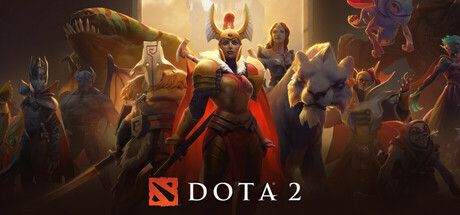
Dota 2 is Valve's free-to-play MOBA, a strategy genre in which two teams face off on one map and each player controls a single hero. Two teams of five, the Radiant and the Dire, start in opposite corners, and you win by destroying the enemy's Ancient, the building at the heart of their base.
There is no point pretending Dota 2 is quick to learn: there are more than a hundred heroes, hundreds of items and a lot of mechanics. The good news is that you do not need all of it in your first matches. A few habits, such as last hitting, watching the map and not dying needlessly, close most of the gap.
This guide is for players who have just installed the game or feel lost in their first matches. It covers the core loop, default hotkeys, what to do in your first hours and the most common mistakes.
Goal of the game
A river splits the map diagonally: the Radiant sits in the bottom-left corner and the Dire in the top-right. Three lanes, top, middle and bottom, connect the bases. According to Liquipedia, a wave of AI-controlled creeps spawns for each side every 30 seconds and marches down each lane. Towers guard the lanes, barracks sit in each base and the Ancient is at the centre. Destroying the towers in order, breaking into the base and bringing down the Ancient ends the match.
Your hero earns gold and experience from creeps, enemy heroes and buildings. Experience levels you up so you can learn and improve abilities, up to a maximum of level 30. Gold buys items from the shop. To get gold from a creep you must land the last hit; landing the last hit on your own creep so the enemy gets nothing is called denying. The early game, the laning phase, is mostly this race for gold and experience; later, teams group up and push objectives.
Controls
| Key | Action |
|---|---|
| Right click | Move on the ground, attack an enemy, follow an ally |
| Left click | Select a unit; confirm an ability target |
| Q / W / E | First, second and third abilities |
| D / F | Fourth and fifth abilities (from Aghanim's Scepter and Shard) |
| R | Ultimate ability |
| Z X C / V B N | Use the six inventory slots |
| A | Attack command; use on an allied creep to deny |
| S / H | Stop / hold position |
| O / U | Learn ability overlay / talent tree |
| F1 / F2 / F3 | Select hero / select courier / courier delivers items |
| F4 / F5 | Open shop / buy the next Quickbuy item |
| Arrow keys | Move the camera (or push the mouse to the screen edge) |
| Ctrl + ability key | Learn that ability when you level up |
| Shift + command | Queue commands |
| ` (backtick) / G / Y | Scoreboard / team voice chat / chat wheel |
First steps
- Start with the Learn tab objectivesAccording to Liquipedia, since March 2021 the Learn tab in the client has offered New Player Objectives: short videos, tutorials, an AI match and a match with a coach. You will see most of the basic mechanics there before playing against people.
- Play a few bot matchesMatches against AI let you learn hotkeys without the pressure of human opponents. Use them to learn what each ability does, how the shop opens and how the courier works.
- Stick to a small hero poolInstead of trying a new hero every match, focus on a few sturdy heroes with simple abilities. Repeating the same hero is how ability timing and item order become second nature.
- Use the suggested itemsThe shop panel lists suggested items for your hero. Do not try to memorise builds early on; add suggested items to Quickbuy and press F5 to buy them when you have enough gold.
- Practise last hittingRather than attacking creeps constantly, hit them when one attack will finish them. This is where the gold difference in lane really comes from. If you miss the enemy creep, at least deny your own with A to cut the enemy's income.
- Pick the safe laneAccording to Liquipedia, the bottom lane is the safe lane for the Radiant and the top lane for the Dire: creeps meet near your own tower and ganks are harder. The wiki recommends these lanes for beginners.
- Always carry a Town Portal ScrollA Town Portal Scroll teleports you to an allied building and, according to Liquipedia, costs 100 gold. It is essential for defending a distant tower or escaping danger; walking around without one is a classic way to lose.
- Build a minimap habitGlance at the minimap every few seconds. If enemy heroes have disappeared from their lanes, they are probably coming for you or a teammate; back off and warn your team with the chat wheel (Y).
Tips and tactics
- Dying costs goldAccording to Liquipedia, gold is split into reliable and unreliable gold, and dying takes gold from the unreliable pool. If you are saving for an expensive item, going back to spend it before a risky move is safer.
- Use the courierEvery player gets a courier at the start of the match to carry items from the shop. Press F3 to have it deliver your items so you can shop without leaving lane.
- Spend your ability pointsDo not leave points unspent when you level up. Ctrl plus an ability key or the O overlay speeds this up. At certain levels you also pick a talent from the tree (U).
- Vision is half the gameThe map is covered by fog of war, so you cannot know what is happening where you cannot see. Observer Wards give vision and Sentry Wards reveal invisible units. As a support, placing wards is one of your most valuable jobs.
- Keep track of RoshanRoshan is a powerful neutral boss in the river who grows stronger over time. The team that takes him gets gold, experience and items you cannot get any other way. According to Liquipedia, the Aegis of the Immortal revives its holder on death with full health and mana.
- Grab runesPower Runes spawn in the river at set intervals and give short buffs such as haste, invisibility or regeneration. As a mid player, checking the river at rune times gives you a real edge.
- Do not push aloneHitting an enemy tower alone or wandering through the jungle by yourself is the fastest route into an ambush. Move with your team; the side that fights together as five usually wins.
- Buildings need creepsAccording to Liquipedia, most buildings have Backdoor Protection, which reduces damage and heals them when no enemy lane creeps are nearby. Push towers together with your own creep wave.
- Try Turbo if matches feel longTurbo follows All Pick rules, but according to Liquipedia gold and experience come faster and drafting timers are shorter. Shorter matches mean more repetitions while you learn heroes and items.
- Communicate with the chat wheelIf you have no time to type, the chat wheel on Y sends quick preset messages, and Alt-clicking the minimap places a ping. Short, clear warnings save more matches than long arguments.
Common mistakes
- Attacking creeps nonstop: the wave pushes into the enemy tower and you end up exposed; waiting for last hits gives you both gold and safety.
- Not carrying a Town Portal Scroll: you cannot reach a teammate or a tower under pressure in time.
- Ignoring the minimap: enemy heroes that vanish are usually on their way to gank someone.
- Walking around with unspent gold: dying costs part of your unreliable gold, and gold does nothing until it becomes items.
- Playing a new hero every match: you keep starting from zero without learning ability timing or item needs.
Frequently asked questions
Is Dota 2 available in Turkish?
Is Dota 2 free?
How long does a match last?
Can I rebind the hotkeys?
Which platforms is it on?
This guide was written for version: This guide reflects the game as of September 2026; default hotkeys follow the Default template listed on Liquipedia. Dota 2 is patched often, so numbers may change.



Yudum World
A village at the foot of Mount Kaf.
Create your character, stroll the square and meet people face to face. In your browser, free.
- 🧑 Create your character
- 🎲 Play a round at the coffeehouse
- 🏠 Build a home with your group
 Yudum WorldA village at the foot of Mount Kaf is waiting for you.Join free →