Getting started in Yudum World
How to enter the world, walk and talk; what the buttons on the screen do.
Yudum World is our chat with a place of its own. The square is the chat itself: everything you say in the world goes to the chat, and people writing from the webchat see it too. It is not a separate game; same chat, same people.
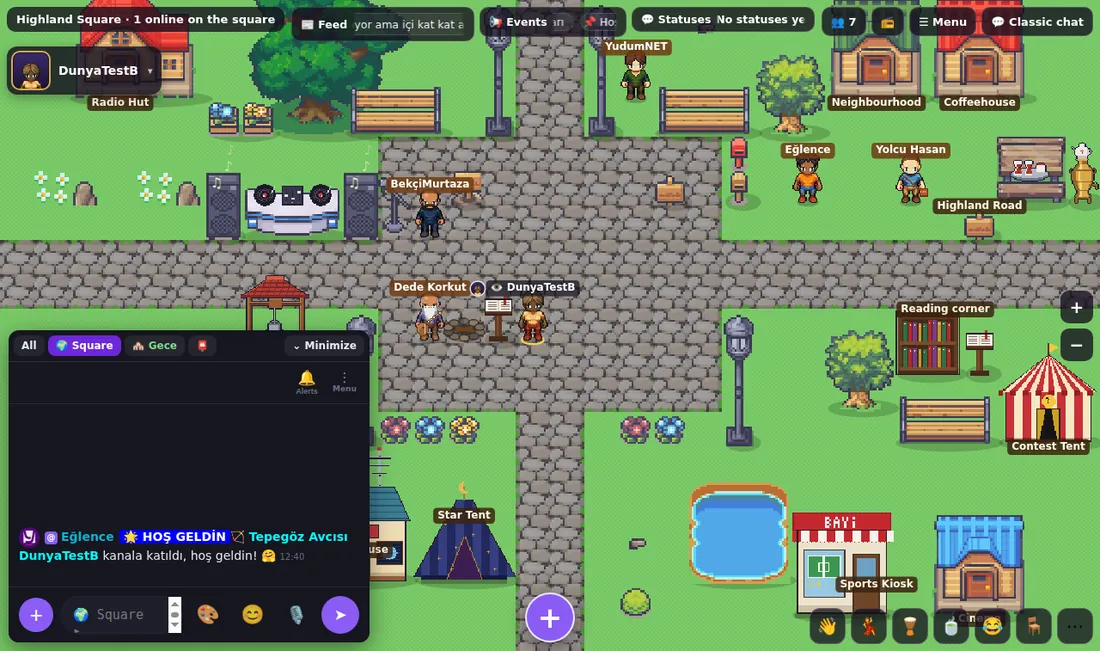
Enter the world
- In the chat, press the 🏔 button on the top bar. Registered members land on the square; if the setting is on, you open straight into the square when you log in.
- On your first visit Dede Korkut greets you with four cards: the hearth, your tribe, your path and "the word is yours". You make your character between the cards.
- Guests can watch the square for a while. To walk around and talk, all you need is a free account.
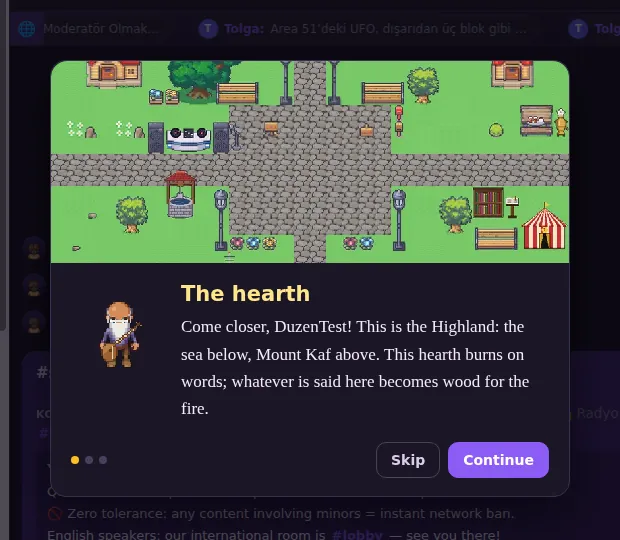
What is on the screen?
- Top left: where you are and how many people are there; below it your own name and avatar.
- Top strip: Feed (latest posts), Events (network announcements, films, DJ), Statuses; on the right the people list 👥, radio 📻, Menu and "Classic chat".
- Bottom left: the chat window. Use the tabs to switch between "All", the room you are in and other rooms; "Minimise" gives the map more room.
- Bottom right: moves (wave, dance, tea, laugh, sit…) and + to share; zoom on the right edge.
Walk, talk, say hello
- Click a spot on the map and your character walks there. Click a door or a house to go in or open its window.
- What you type in the chat box appears as a bubble over your head; people further away read it too.
- Click someone to open their profile card: messages, friendship, follow and moves to send them are there. Right-click (long-press on a phone) opens their menu.
- Hover over anything to see what it is.
Back to classic chat
"Classic chat" at the top right takes you to the screen you know. Both are the same room; whichever you type in, everyone sees it. Press 🏔 to come back any time.
Who do I ask?
Dede Korkut by the hearth tells you about the Highland and what you can do; for rules and help, visit the Watchman. All the villagers are on the Villagers page.
