How to play guide
Guild Wars 2 Beginner's Guide: Choosing a Profession, Dodging, Hearts and Hero Points
For new Guild Wars 2 players: free account limits, the nine professions, the skill bar, dodging and endurance, the downed state, hearts and events, hero points, default keys and common mistakes.
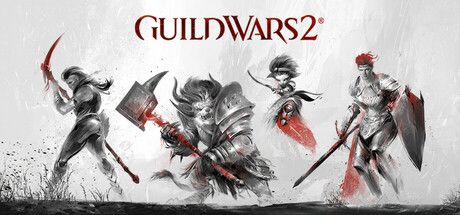
Guild Wars 2 is ArenaNet's MMORPG, released in 2012 and on Steam since 2022. You create your own character in Tyria, play your personal story and join shared events across the maps. According to the official wiki, the entire core game has been free to access since 2015, while expansions are sold separately. Turkish is not in the language list on its Steam page.
This guide is for players who have just started, or who are surprised in the early levels: "don't I need to pick up quests like in other MMOs, and why do my skills keep changing?" Guild Wars 2 breaks a lot of habits: instead of reading quest text you explore the map, and instead of standing still you move to avoid attacks.
Keys, numbers and mechanic names come from the official Guild Wars 2 Wiki (wiki.guildwars2.com), which ArenaNet links to.
Goal of the game
In Guild Wars 2 your character levels from 1 to 80. According to the official wiki, almost every activity grants experience: renown hearts (local tasks on the map), dynamic events that start on their own in an area, exploration points, your personal story and gathering. The game doesn't tie you to one quest chain; things come to you as you explore.
A key rule is dynamic level adjustment: according to the wiki, a high-level character entering a low-level area is scaled down to fit it, but still earns rewards appropriate to their real level. That keeps old zones relevant and lets you play with friends regardless of level. In combat your main defense is the dodge: when you see red circles on the ground or an enemy winding up, roll out of the way.
Controls
| Key | Action |
|---|---|
| W A S D | Move; double-tap a direction to dodge that way |
| Q / E | Turn left / right |
| V | Dodge |
| Space | Jump / swim up |
| R | Auto-run |
| 1-5 | Weapon skills, based on what you wield |
| 6 / 7-9 / 0 | Healing skill / utility skills / elite skill |
| F1-F5 | Profession skills |
| ` | Swap weapons |
| F | Interact, revive a downed player |
| Tab | Target next enemy |
| H / I / M | Hero panel / inventory / map |
| X | Mount / dismount (mounts require an expansion) |
| O | Black Lion Trading |
First steps
- Pick the profession that appeals to youAccording to the official wiki there are nine professions, and each can contribute damage, control and support; a profession can't be changed later. Heavy-armor Soldiers (e.g. Warrior, Guardian) are sturdy up close, while Scholars (e.g. Elementalist) are more fragile but versatile. Race and gender don't restrict professions.
- Learn the skill barAccording to the wiki, characters start with only the first weapon skill and a healing skill; other slots unlock as you level. The first five skills come from your weapon, so changing weapons changes those skills. At level 7 you can equip an off-hand and use skill 4.
- Make dodging a habit from day oneAccording to the official wiki, the endurance bar holds 100 points and each dodge costs 50, so you can dodge twice in a row, and it refills at 5 points per second. Watch the yellow bar above your health orb and save dodges for big hits.
- Follow hearts and eventsAt a heart icon on the map, help the nearby NPC by doing simple tasks until the heart fills. If a dynamic event with an orange icon starts nearby, join in; other nearby players join in on their own.
- Unlock waypointsAccording to the wiki, waypoints are fast-travel points that unlock when you get close. Click one on the map to teleport for a fee; travel within cities is free, and you can't travel while in combat.
- Unlock skills with hero pointsAccording to the wiki, hero points come from leveling up and completing hero challenges on the maps, and are spent in the Training tab of the Hero panel. Reaching level 80 alone grants enough to unlock all core skills and traits.
- Advance your personal storyStory steps unlock at certain levels and continue as you level. The story is a good source of experience and a way to learn the world; the story tracker at the edge of the screen shows your next step.
- Play with friendsThanks to level adjustment you can play in the same zone as friends of different levels. P opens the party panel; doing hearts and events together speeds things up and is more fun.
Tips and tactics
- Get out of red circlesMany strong enemy attacks draw a red area on the ground. Instead of standing still and trading hits, walk or dodge out of it.
- Don't give up when downedAccording to the official wiki, dropping below zero health doesn't kill you right away; you become downed. You get special skills: skill 4, Bandage, slowly heals you, and defeating an enemy lets you rally back up.
- Revive downed playersIf another player is downed, walk over and hold F to revive them. Helping strangers is normal in Guild Wars 2 and makes events easier.
- Use weapon swapAfter a certain level you can carry a second weapon set. With one ranged and one melee set, switch with ` as needed; some professions like elementalist and engineer handle this differently.
- Leave autoattack onAccording to the wiki, skill 1 can be set to repeat automatically. That lets you focus on your other skills, dodging and positioning.
- Don't skip explorationEvery map has waypoints, points of interest, vistas and hearts. Completing them gives experience and rewards, and builds out your waypoint network.
- Use gathering toolsThe equipment section of the Hero panel has slots for gathering tools. Harvesting ore, trees and plants along the way gives experience and crafting materials.
- Don't fear level gapsReturning to old zones isn't a waste; according to the wiki you still earn rewards and experience appropriate to your real level while scaled down.
- Know free account limitsAccording to the official wiki, new accounts start as free accounts with some restrictions, and expansion content is bought separately. A Steam account is separate from an ArenaNet account, and purchases must be made on the same platform.
- Don't rush mountsAccording to the wiki, mounts come with expansions. In the core game, waypoints and auto-run (R) are enough to get around comfortably.
Common mistakes
- Standing still and never dodging: an unused endurance bar means big hits go straight to your health.
- Waiting next to a heart NPC as if it were a quest giver: heart tasks are done in the surrounding area.
- Forgetting to spend hero points: skills you don't unlock in the Training tab leave empty slots.
- Expecting expansion features on a free account: mounts and elite specializations come with expansions.
- Waiting to die when downed: you can still use your downed skills to get back up.
Frequently asked questions
Is Guild Wars 2 available in Turkish?
Is Guild Wars 2 free?
Is a Steam account the same as an ArenaNet account?
Can I play solo?
What is the level cap?
Can I change my profession later?
This guide was written for version: This guide reflects the official Guild Wars 2 Wiki as of September 2026. Keys can be rebound in the Options panel; expansions and updates may add new systems.



Yudum World
A village at the foot of Mount Kaf.
Create your character, stroll the square and meet people face to face. In your browser, free.
- 🧑 Create your character
- 🎲 Play a round at the coffeehouse
- 🏠 Build a home with your group
 Yudum WorldA village at the foot of Mount Kaf is waiting for you.Join free →