How to play guide
Lost Ark Beginner's Guide: Choosing a Class, Skill Keys, Tripods and Daily Activities
A Lost Ark starter guide: class and advanced class, the QWER-ASDF skill layout, tripods, quest types, Chaos Dungeons and Guardian Raids, Una's Tasks and a note on the 2027 publisher change.
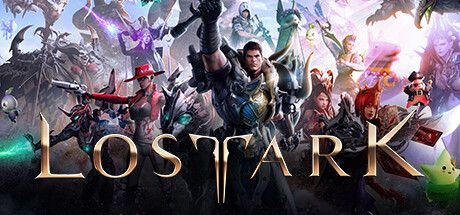
Lost Ark is Smilegate RPG's free-to-play blend of top-down action RPG and MMO. In the West it has been published by Amazon Games; you sail between continents in the world of Arkesia, follow the story and grow stronger through dungeons and large boss fights.
This guide is for players who just downloaded it on Steam and are confused about the key layout, quest types, or what to do after reaching the level cap. We deliberately avoid progression numbers such as item level thresholds, which change often with updates.
An important note: according to Amazon Game Studios' August 2026 announcement, Western publishing moves to Smilegate in early 2027. The game is not shutting down; characters and inventories will transfer.
Goal of the game
The first half of the game plays like a story journey: following the Main Quest takes you across continents, levels you up and unlocks new systems. The official quests guide says main quests are essential for unlocking features, and once you get your ship, World Quests carry the story to other continents.
After the level cap, real progression runs on item level. You raise it through honing, gathering materials from Chaos Dungeons, Guardian Raids and weekly content. Your characters on a server form a roster, and some rewards and daily entries are shared across it.
Controls
| Key | Action |
|---|---|
| Left click | Move, pick up, interact |
| Right click / C | Basic attack |
| Q W E R A S D F | Skills 1-8 |
| V | Awakening skill |
| Z / X | Class specialty skill 1 / 2 |
| Space | Movement skill / stand up |
| G | Interact 1 (talk to NPC, use object) |
| 1 2 3 4 | Battle item slots |
| F1 | Potion slot |
| T | Auto-move to marked destination |
| I · P · K | Inventory · character profile · combat skills |
| J · M | Quest journal · world map |
| Tab | Expanded minimap overlay |
| Alt (hold) | Show loot names |
| Esc | Game menu (rebind keys under Settings) |
First steps
- Pick your class and advanced class carefullyAt character creation you choose a base class and one of its advanced classes. As the Steam description stresses, this defines your fighting style. Think about melee or ranged, fast combos or heavy hits, and watch the preview videos on the creation screen.
- Follow the main questlineThe official quests guide says main quests begin in the prologue and unlock game features. Following them early levels you quickly and opens your ship, dungeons and daily activities on time.
- Don't skip Guide questsPurple [Guide] quests in the journal (J) teach mechanics at content milestones, per the official guide. They usually signal a newly unlocked system and are both instructive and rewarding.
- Set skill points and tripodsOpen the skill window with K. Investing points unlocks tripods, three tiers of modifiers the Steam page describes as a way to customize each ability. Early on, balance tripods for damage, mobility and protection.
- Master your movement skillSpace performs a short dash with a cooldown. In boss fights, using it to leave telegraphed danger zones is worth more than drinking potions.
- Fill your battle item slotsKeys 1-4 are battle item slots and F1 is the potion slot. Put bombs and potions there. Walking into a hard boss with empty slots is the most common preparation mistake.
- Switch to the daily loop after the capAccording to official guides, Chaos Dungeons and Guardian Raids provide honing materials and Una's Tasks give daily and weekly rewards. At the level cap these become the backbone of progression; the hammer icon on the map marks the honing vendor.
- Check Welcome ChallengesAmazon's progression guide advises new players to check the Welcome Challenges tab regularly for goals and rewards that fit their current stage.
Tips and tactics
- Use auto-moveMark a destination and press T to walk there automatically. It frees your hands to sort your inventory or skills on long trips.
- Rebind freelyAlmost every hotkey can be changed under Settings in the Esc menu. If QWER plus ASDF feels awkward, move skills to keys you are comfortable with.
- Press Space when knocked downSpace gets you back up when you are knocked down. Staying on the floor in a boss fight means eating hit after hit.
- Save your AwakeningThe Awakening skill (V) is a powerful move with a long cooldown. Keep it for a boss's vulnerable moment or an emergency, not for trash mobs.
- Think roster-wideThe official progression guide notes that some activities reset once per day per roster. If you plan several characters, check in-game descriptions to see which entries are per character and which are per roster.
- Make Una's Tasks a habitThe official quests guide describes Una's Tasks as daily and weekly quests limited to three per day and reset at server reset. Pick short ones and they take minutes.
- Learn mechanics in Guardian RaidsGuardian Raids are fights against a single large boss. Failing the first attempt is normal; watch ground telegraphs and wind-up animations to learn the pattern.
- Don't neglect islandsIslands reached by ship and Adventure Quests reward items such as Island Hearts, per the official guide. After the main story they are a good source of permanent roster bonuses.
- Follow the publisher transitionPer Amazon's announcement, the move happens in early 2027 and you will link your Steam account to Smilegate's system on first login. Mail contents, friend list memos and chat history will not transfer, so claim important mail beforehand.
Common mistakes
- Abandoning the main quest for every side quest: systems unlock late and the early game feels slower than it should.
- Never setting skill points and tripods: default skills show only part of your character's power.
- Leaving battle item and potion slots empty: you go down on the first mistake in a hard boss fight.
- Wasting the dash: if danger comes while it is on cooldown, there is no escape.
- Trusting numbers in outdated guides: item level thresholds and activity rules have changed; rely on in-game descriptions.
- Forgetting mail before the transition: the announcement says mail contents will not transfer.
Frequently asked questions
Is Lost Ark available in Turkish?
Is Lost Ark shutting down?
Is it free?
Can I play solo?
Does it support controllers?
Which platform is it on?
This guide was written for version: Guide written in September 2026, after Amazon's 12 August 2026 transition announcement and during the server merges. Keys are the default PC layout and can be rebound; menu and activity names may change after the transition.



Yudum World
A village at the foot of Mount Kaf.
Create your character, stroll the square and meet people face to face. In your browser, free.
- 🧑 Create your character
- 🎲 Play a round at the coffeehouse
- 🏠 Build a home with your group
 Yudum WorldA village at the foot of Mount Kaf is waiting for you.Join free →