How to play guide
Sons of the Forest Beginner's Guide: Emergency Pack, Kelvin, First Shelter and Saving
A Sons of the Forest starter guide: first steps after the helicopter crash, the emergency pack, giving Kelvin orders, building a shelter and saving, the GPS, befriending Virginia, controls and common mistakes.

Sons of the Forest is Endnight Games' survival horror follow-up to The Forest. A team sent to find a missing billionaire family crashes on an island, and you wake up in the wreckage. The island holds cannibals, far stranger mutants, caves and a mystery waiting to be solved. You can play alone or online with friends.
This guide is for players who have just bought the game and don't know what to do on their first night. The game explains very little up front: most players learn how saving works, how to give Kelvin jobs or how to build a first home by trial and error.
Below you'll find the goal of the game, the default PC controls, what to do in your first hours, concrete tips, common mistakes and answers to frequently asked questions.
Goal of the game
The core loop is classic survival: eat, drink, sleep and stay warm. You chop trees for logs, build shelters and a base, hunt, forage and cook. According to the community wiki, the HUD tracks health, stamina, armour, strength, fullness, hydration and energy; let hydration or fullness run out and you slowly take damage. Strength grows as you do heavy work like chopping and carrying, and raises your maximum health.
Beyond survival there's a story. As you explore caves, bunkers and camps you piece together what happened to the missing family and find the gear you need to progress, such as the shovel and the rope gun. Two companions can join you: Kelvin, a soldier injured in the crash, and Virginia, a three-armed, three-legged woman living alone on the island. Seasons change too; when winter comes food gets scarce and the cold becomes a real threat.
Controls
| Key | Action |
|---|---|
| W A S D | Move |
| Left Shift (hold) | Run |
| Left Ctrl | Crouch (stealth) |
| Space | Jump |
| E | Take: tap to put in inventory, hold to equip |
| I | Inventory (hold to open the backpack quick select) |
| B | Guide Book: building blueprints |
| X | Cancel structure / toggle book mode |
| M | GPS Tracker |
| L | Lighter |
| T | Walkie Talkie |
| G | Drop held item |
| R | Reload |
| C | Dismantle a structure |
| Left click | Primary action: attack, use, place |
| Right click | Secondary action: block, aim, toggle place mode |
First steps
- Choose the difficulty deliberatelyWhen you start a new game you pick a difficulty. Peaceful removes enemies and leaves exploration and building. Normal is the intended experience. According to the wiki, the later Hard Survival mode has fewer food spawns and animals; it's not recommended for a first run.
- Open the emergency packOnce you're out of the wreck, pick up the Emergency Pack and open it in your inventory. The community wiki lists its contents as a tactical axe, GPS tracker, lighter, guide book and walkie talkie. These are core tools for the whole game; the axe chops trees and defends you.
- Help Kelvin upKelvin survives the crash and lies injured near the wreck; go over and help him. He lost his hearing and speech in the crash, so you give him written orders through a notepad: follow me, fetch logs/sticks/stones, build a fire, build a shelter, clear an area and so on.
- Give Kelvin his first jobTell Kelvin to gather sticks and stones, then logs. The wiki notes he can carry two logs at a time and can finish blueprints you place from the guide book. He gathers materials while you focus on food and exploring.
- Pick flat ground near waterFor your first base choose a flat spot near the shore or a lake. Water, fish and travel all get easier. A very exposed beach makes you easy for cannibals to spot; the edge of a wooded area is safer.
- Build a shelter and fire from the guide bookOpen the guide book with B, pick a fire and a simple shelter from the prefab structures and place them. The blueprint appears as a see-through ghost; add the required materials and the structure completes. Light the fire with your lighter; you need it to warm up, dry off and cook.
- Learn how to saveThe game doesn't save constantly. According to the wiki you save or sleep by interacting with a tarp tent, hunting shelter, stick bed or the tents found in camps, and sleeping and saving are separate options. Save as soon as your first tent is up.
- Open the GPS and exploreOpen the GPS with M. Kelvin shows up as a K and points of interest are marked. In the first days, skip distant caves and explore nearby camps and the coast instead; gather food, medicine and materials.
Tips and tactics
- Get more out of every treeA felled tree gives logs, and your axe can split a log into halves, quarters and planks. In the Custom Buildings system you use these pieces for walls, floors and roofs. With prefab blueprints the game usually handles the splitting for you.
- Strength comes from hard workThe wiki says strength goes up to level 100, with each level adding 2 percent max health and 1 percent melee damage. Swinging an axe and lifting logs raise it; walking and building don't. Don't leave all the chopping to Kelvin early on.
- Don't sleep in the openAccording to the wiki, sleeping somewhere unsecured can get you woken by a cannibal search party or a mutant horde. The game only treats a spot as safe when it's fully enclosed by defensive walls. It won't let you sleep with hostiles nearby.
- Sleep skips timeSleeping restores energy and cures sickness but moves the clock forward about 13 hours. Higher comfort means more energy restored, and sleeping indoors beats sleeping outside.
- Don't stay wetBeing wet makes you vulnerable to the cold. Standing by a fire or carrying a torch dries and warms you fast. Start looking for warm clothing and stockpiling food before winter arrives.
- Be careful what you eat and drinkAccording to the wiki, unclean water, spoiled or unhealthy food and poisonous plants make you sick, and sickness lowers your max health. Check an unfamiliar plant's info in your inventory before eating it, and always cook meat.
- Don't spook VirginiaVirginia is wary at first and trust comes slowly. The wiki says the developers compare her to an independent cat: kind, non-threatening behaviour makes her warm to you, and she starts bringing gifts. Scare her and she runs; if she's killed she's removed from the save for good.
- Mark places with GPS locatorsGPS Locators you find on the island can be attached to a stick to mark your base, cave entrances or resource spots on the map. The wiki notes that giving one to Virginia makes her position appear on the GPS too.
- Don't charge into cannibalsIn early encounters cannibals may watch you from a distance. Taking on a large group alone is the fastest way to an early death. Keep a tree or wall at your back, block with right click and plan your escape route in advance.
- Set up your backpack for quick accessHolding I opens the backpack quick select, letting you reach frequently used items without opening the full inventory. Put your axe, food and meds there; it saves time in a pinch.
Common mistakes
- Going a long time without saving: the game doesn't save all the time, so playing for hours without a tent can wipe out your progress with one death.
- Hitting Kelvin by accident: swinging your axe wildly in a crowded fight hurts your companion.
- Building your base somewhere exposed: a base in the middle of a beach sits on cannibal patrol routes and gets frequent visitors.
- Entering caves unprepared: without light, meds and food it's easy to get lost and run into mutants.
- Not preparing for winter: when the cold sets in food gets scarce and staying warm becomes a problem; stockpile in autumn.
- Acting threatening around Virginia: a startled Virginia keeps her distance and the friendship starts over.
Frequently asked questions
Is Sons of the Forest available in Turkish?
Can I play alone?
How do I save the game?
Do I lose everything when I die?
Can I play without enemies?
Do I need to play The Forest first?
This guide was written for version: This guide reflects the current version as of September 2026. Keys are the default PC bindings and can be changed in the settings menu. Numbers come from the community wiki and may change with updates.


Yudum World
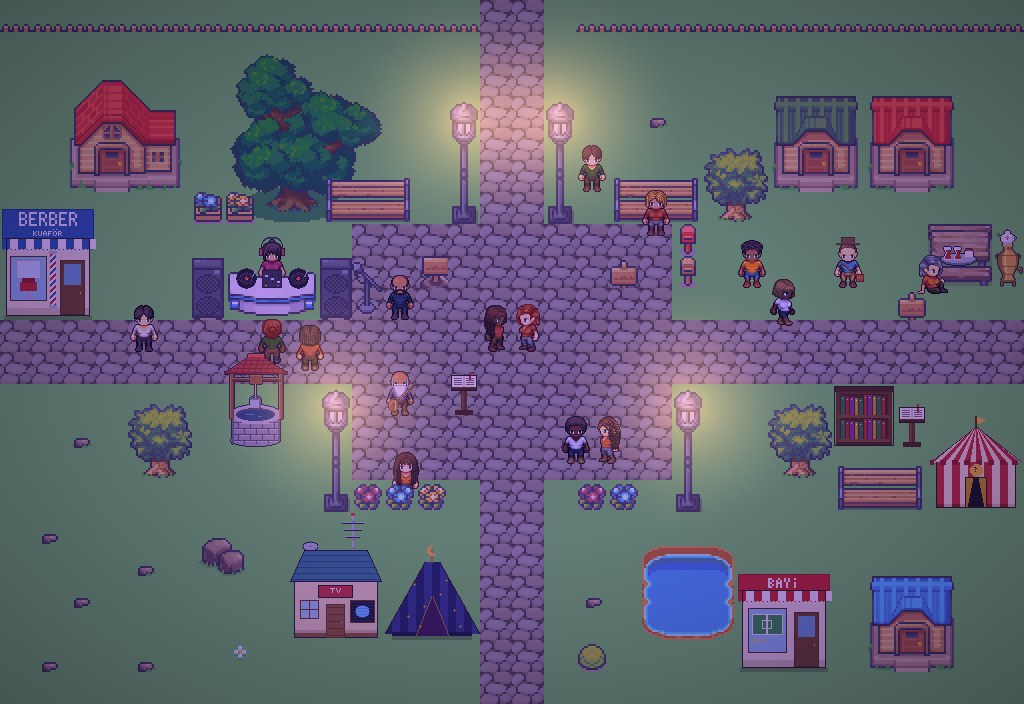
A village at the foot of Mount Kaf.
Create your character, stroll the square and meet people face to face. In your browser, free.
- 🧑 Create your character
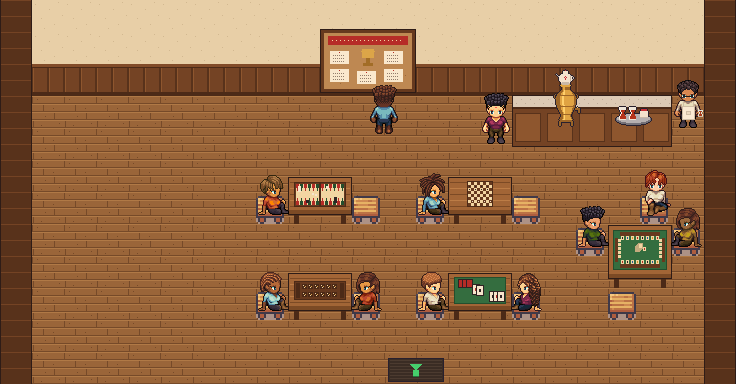
- 🎲 Play a round at the coffeehouse
- 🏠 Build a home with your group
 Yudum WorldA village at the foot of Mount Kaf is waiting for you.Join free →