How to play guide
American Truck Simulator Beginner's Guide: First Deliveries, Fines and Your Own Truck
An American Truck Simulator starter guide: quick jobs for first money, the freight market, skill points, fatigue and sleep, weigh stations and fines, default PC controls and common mistakes.
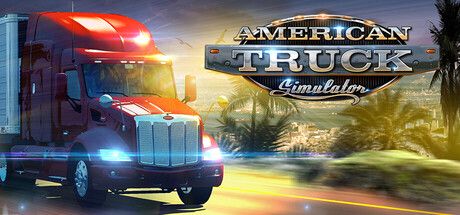
American Truck Simulator is SCS Software's truck driving simulation set on US roads. You start as a driver for hire, earn money hauling cargo, then buy your own truck and build a company with garages and employees. It comes from the makers of Euro Truck Simulator 2.
This guide is for players starting out, or asking “why do I keep getting fined, how do I start the engine, how do I attach a trailer?” The game rewards patience: calm, lawful driving is both more enjoyable and more profitable.
Below you'll find the goal of the game, default PC controls from the official manual, first steps, practical tips, common mistakes and frequently asked questions.
Goal of the game
According to SCS Software's official manual, you start as a driver for hire in the local freight market and work your way up to owner-operator and one of the largest transport companies in the US. At first your only income is Quick Jobs: the employer provides a truck and cargo, you just drive. They don't pay much, but there are no costs.
Once you own a truck, Freight Market jobs open up. The manual says they pay much better, but you cover fuel and repairs and drive to the depot to pick up the cargo yourself. Each delivery earns experience; as you level up you spend skill points. Later you can buy garages and hire drivers. On the road, real-world rules such as speed limits, red lights, weigh stations and fatigue apply.
Controls
| Key | Action |
|---|---|
| W / Up arrow | Throttle |
| S / Down arrow | Brake; reverse when stopped |
| A D / Left Right arrows | Steering |
| E | Start / stop engine |
| Space | Parking brake |
| B | Motor brake |
| Shift / Ctrl | Shift up / down (manual transmission) |
| [ and ] | Left / right indicator |
| F | Hazard warning lights |
| L | Headlight modes |
| H | Horn |
| P | Wipers |
| C | Cruise control |
| T | Attach / detach trailer |
| Enter | Activate (fuel, service, rest stop, etc.) |
| 1-9 | Camera views (1 interior, 2 chase) |
First steps
- Create a profile and pick a starting cityThe manual describes a profile as the virtual person representing you: name, look, company name and logo. You can start different profiles in different cities, which also helps when several people share a computer.
- Set up your controller firstIf you use a steering wheel or gamepad, visit the controls section in Options before driving; the official manual specifically recommends it. On keyboard you can remap keys in Keys & Buttons.
- Choose a transmission typeIn gameplay settings you can choose manual or automatic. According to the manual, Simple Automatic means no shifting at all, and the brake acts as reverse when standing. Start with that if you're new.
- Earn your first money with Quick JobsQuick Jobs give you a ready truck and cargo. They're your only income at first. Pick short, easy routes to build money and experience.
- Start the engine, release the parking brakePress E to start the engine and Space to release the parking brake. If the truck won't move, the parking brake is most likely still on; check the dashboard warning lights.
- Use the Route AdvisorThe on-screen Route Advisor shows navigation, speed limit and warnings. According to the manual F3 cycles its modes and F1 enables mouse control.
- Learn to park at deliveryAt the destination you must leave the trailer in the marked spot. Switch cameras (1-9) if you struggle; a side or top-down view makes reversing much easier.
- Spend your first skill point wiselyLeveling up gives skill points. According to the community wiki, Long Distance initially caps job distance; the others are Hazardous Materials, Fragile Cargo, High-Value Cargo, Just-In-Time Delivery and Eco-Driving. Branches that unlock better-paying jobs come first.
Tips and tactics
- Respect speed limitsAccording to the community wiki, speeding, running red lights and hitting cars cost fines, doubled if police see it. Setting cruise control (C) to the limit makes this easy.
- Stop at weigh stationsYou must stop at weigh stations unless the Route Advisor says otherwise. The wiki says skipping one is fined, and stations also check vehicle damage and weight.
- Use headlights at nightDriving without headlights is also fined. Cycle headlight modes with L and check the dashboard as evening falls.
- Plan for fatigueAfter driving a while your driver gets tired: yawning and Route Advisor warnings come first, then the screen dims. The wiki says ignoring it brings fines and eventually dozing at the wheel. Rest at motels, gas stations and other rest spots with Enter.
- Watch out for city rest stopsAccording to the wiki, most rest stops inside cities only fit the tractor, not a trailer. On long routes, plan to rest on the highway outside town.
- Refuel earlyWith your own truck, fuel is your cost. Stop at a station before the tank runs dry; pull up to a pump and use the activate key.
- Damage eats your incomeCollisions damage both truck and cargo, and repairs on your own truck come out of your pocket. The wiki adds that entering a weigh station with 10% or more damage is fined.
- Fatigue can be turned offAccording to the official manual you can disable Fatigue simulation in gameplay settings if you prefer relaxed driving.
- Use the motor brakeOn long descents with a loaded truck, don't rely on the foot brake alone. The motor brake on B keeps speed under control.
- Explore to find workThe manual says the job market only lists offers in areas you have already explored. Passing through new cities means more and better jobs later.
Common mistakes
- Pressing the throttle with the parking brake on: the truck won't move and players think something is broken.
- Speeding and running red lights: fines quickly wipe out delivery income.
- Skipping weigh stations: stopping is required unless the Route Advisor clears you.
- Ignoring fatigue warnings: fines come first, then dozing at the wheel.
- Buying an expensive truck with no savings: fuel and repair costs make the first owner-operator days hard.
- Driving at night without headlights: poor visibility and a fine.
Frequently asked questions
Is American Truck Simulator available in Turkish?
Do I need a steering wheel?
Can I play with friends?
Is the whole US map included?
What if I forget to save?
This guide was written for version: Guide written as of September 2026. Controls are the defaults from SCS Software's official manual; they can be remapped and may differ after updates.




Yudum World
A village at the foot of Mount Kaf.
Create your character, stroll the square and meet people face to face. In your browser, free.
- 🧑 Create your character
- 🎲 Play a round at the coffeehouse
- 🏠 Build a home with your group
 Yudum WorldA village at the foot of Mount Kaf is waiting for you.Join free →