How to play guide
Diablo IV Beginner's Guide: Classes, Skill Tree, the Codex and Difficulty
A Diablo IV starter guide: PC controls, choosing a class and realm, first steps in the campaign, your mount, the Codex of Power, the Loot Filter and the skill tree and difficulty changes after Lord of Hatred.
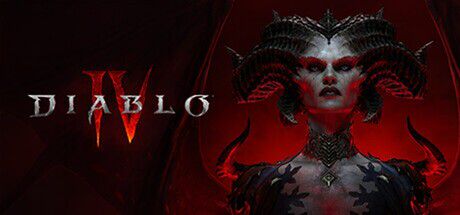
Diablo IV is Blizzard's top-down action RPG set in the world of Sanctuary. You clear hordes of monsters, collect loot and power up your character through skills and gear. The game is played online; you meet other players in the open world and can form parties of up to four.
In April 2026 the game changed significantly with its second expansion, Lord of Hatred, and the free 3.0 update: every class skill tree was redesigned, the level cap rose to 70, Torment difficulty tiers expanded from 4 to 12 and the long-awaited Loot Filter arrived. Many older guides online no longer apply.
This guide is based on Blizzard's official announcements and patch notes and is written for players starting their first character. The game supports Turkish; original English names are given alongside for clarity.
Goal of the game
The game has two layers. The first is the campaign: the main story against Lilith and then Mephisto. After the base game campaign, the Vessel of Hatred and Lord of Hatred expansions continue the story; expansions are sold separately. The second is the endgame: as you approach the level cap you chase stronger loot through dungeons, world events such as Helltide and ever harder Torment tiers.
When creating a character you pick between two realms: the Seasonal Realm offers characters that start fresh each season plus seasonal rewards, while the Eternal Realm lets you keep your character across seasons. Blizzard says both offer the same core experience.
Controls
| Key | Action |
|---|---|
| Left click | Move, interact, basic skill slot |
| Right click | Core skill slot |
| 1 / 2 / 3 / 4 | Skill slots |
| Space | Evade; spur mount while riding |
| Q | Use potion |
| Z | Mount |
| T | Town Portal |
| Shift (hold) | Hold position and attack |
| F | Force interact |
| Alt | Show item labels |
| Tab / M | Map |
| C / I | Character and inventory panel |
| S / Shift+S | Skill assignment / skill tree |
| J / L | Journal (quests) |
| Esc | Game menu and options |
First steps
- Choose your realmWhen creating a character, choose the Seasonal or Eternal Realm. If it's your first time, learning the story at your own pace on the Eternal Realm is a good start; seasonal rewards and leaderboards live on the Seasonal Realm.
- Choose your classThe base game has Barbarian, Druid, Necromancer, Rogue and Sorcerer. Spiritborn comes with Vessel of Hatred, Paladin and Warlock with Lord of Hatred. For a first character, Barbarian is a straightforward melee pick, Sorcerer or Rogue for ranged play.
- Pick your campaign starting pointAccording to Blizzard, a new character can enter the story from the base game, from Vessel of Hatred or from the recommended Lord of Hatred start. Once you've completed the story on one character, others can skip the campaign and go straight to the endgame; skipping is permanent for that character.
- Start on a comfortable difficultyPlay the campaign on a low difficulty to learn the mechanics. Raise difficulty as your character gets stronger; higher difficulty means more gold, experience and better loot. The top Torment tiers now go up to 12.
- Get to know the skill treeThe 3.0 update removed passive nodes from the skill tree; points go directly into active skills. Each active skill has three branches that open as you level, and some variants can change a skill's type, for example from Fire to Frost. Early on, focus on one main damage skill and one escape or defensive skill.
- Unlock waypointsActivate waypoints in towns; you can fast-travel to them from the map. The Town Portal on T also gives a quick return to empty your inventory and restock potions.
- Get your mountAs you progress through the story, the quest A Trusty Steed becomes available and grants your mount. Summon it with Z and spur with Space; it cuts open-world travel time dramatically.
- Clear dungeons for the first timeThe first clear of many dungeons adds a Legendary Aspect to your Codex of Power. You imprint Codex aspects onto gear to power up, so don't ignore dungeon icons on the map.
- Set up the Loot FilterAs you level, lots of items drop. The Loot Filter under Options > Gameplay lets you hide gear you don't want and colour-code what you're looking for.
Tips and tactics
- Make Evade a reflexEvade on Space is the main way to escape big hits and ground effects. Use it the moment you see a boss wind-up, not only when your health is low.
- Don't waste potionsPotions are limited. Health orbs and towns refill them; try to enter tough fights with full charges.
- Attack in placeHolding Shift while clicking makes your character attack from where it stands without walking. For ranged classes this stops you accidentally walking into enemy packs.
- Check the Codex regularlyWhen you find a higher roll of a Legendary Aspect, its Codex of Power entry is upgraded. When upgrading gear, check the Codex for the strongest value you can imprint.
- Read item comparisonsHovering over a new item shows a comparison with your current gear. Look beyond the Item Power number to the affixes that support your skills.
- Join world eventsOpen-world events are completed quickly with other players and reward experience and loot. Regional events like Helltide become an important material source at higher levels.
- Don't fear respeccingYou can reallocate skill points. When you find a new unique item or a strong aspect, adjusting your tree around it often makes a big difference.
- Try the Map OverlayThe Map Overlay added in 3.0 places a semi-transparent map over the screen. Adjust zoom and opacity under Options > Gameplay and bind shortcuts under Options > Controls.
- Consider playing in a partyGrouping with friends clears dungeons and events faster. In the endgame, Lord of Hatred's War Plans system organises progression by chaining activities you choose.
- Bind keys to suit youMany actions are unbound by default. Assign keys to what you use often under Options > Controls; the game also recognises extra mouse buttons.
Common mistakes
- Building your skill tree from guides written before April 2026: the 3.0 update removed passive nodes, so old allocations no longer fit.
- Confirming the campaign skip without thinking: skipping is permanent for that character.
- Raising difficulty far above your character's power: deaths waste time and slow progress.
- Skipping dungeons entirely: your Codex of Power stays thin and your character struggles to grow.
- Picking up every item and filling your inventory: without a Loot Filter, managing loot at high levels eats time.
Frequently asked questions
Is Diablo IV available in Turkish?
Can I play solo?
Do I need the expansions?
What's the level cap?
Seasonal or Eternal Realm?
Which platforms is it on?
This guide was written for version: This guide reflects the game as of September 2026, after Lord of Hatred and the 3.0 update. Seasonal content changes every season; controls are default PC bindings.



Yudum World
A village at the foot of Mount Kaf.
Create your character, stroll the square and meet people face to face. In your browser, free.
- 🧑 Create your character
- 🎲 Play a round at the coffeehouse
- 🏠 Build a home with your group
 Yudum WorldA village at the foot of Mount Kaf is waiting for you.Join free →