How to play guide
Farming Simulator 25 Beginner's Guide: Your First Field, the Crop Calendar and Contracts
For new Farming Simulator 25 players: the three game modes, first machines, field work order, the crop calendar, fertilizer and lime, earning through contracts, default PC keys and common mistakes.
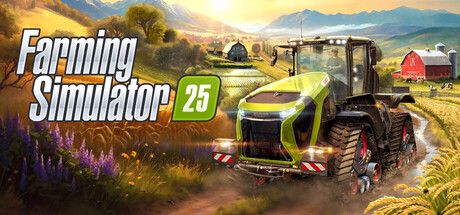
Farming Simulator 25 is a farming sim from Switzerland's GIANTS Software, released in November 2024. You plow, sow, harvest, raise animals, cut trees and sell your produce to grow your farm. The game has three maps: Riverbend Springs in North America, Hutan Pantai in East Asia and Zielonka in Central Europe. According to its Steam page there is a Turkish interface, and GIANTS' official manual is available in Turkish.
This guide is for players who have just started and say "I got into the tractor, now what?" Farming Simulator is forgiving, but a field worked in the wrong order yields less and money runs out quickly. Below we explain how to make your first season count.
Keys, game modes, field work steps and the crop calendar come from GIANTS Software's official Farming Simulator 25 manual.
Goal of the game
The core loop is a chain of field work: cultivate, sow, fertilize, clear weeds, harvest, then sell or store, and use the money for more fields and machines. The official manual names three main activities: field farming, animal husbandry and forestry. Production chains, greenhouses and construction projects sit on top of those.
In Farming Simulator 25, seasons change how you play. According to the manual, every crop has set sowing and harvest months; wheat and barley, for example, are sown in September-October, and wheat is harvested in July-August. You can't harvest in rain or snow. You can also turn off seasonal growth and sow or harvest whenever you like. The game sets no goal; how big you grow is up to you.
Controls
| Key | Action |
|---|---|
| W A S D | Walk / steer |
| Shift + W A S D | Run |
| E | Enter / exit vehicle |
| Tab | Switch to next vehicle |
| Q | Attach / detach tool |
| V | Lift / lower tool |
| B X O Z | Tool functions (e.g. turn a tool on) |
| G | Switch control group |
| H | AI worker |
| I | Unload |
| R | Use object; in a vehicle, refuel or refill tool |
| 3 / 1 2 | Activate cruise control / change cruise speed |
| C | Switch camera |
| P / Shift + P | Shop menu / build mode menu |
| 7 8 / 9 | Change timescale / toggle map view |
| F1 | Help window showing currently available controls |
First steps
- Start in New Farmer modeThe manual lists three modes. New Farmer gives you machines and land and money isn't a worry; it's recommended for absolute beginners. Farm Manager starts you with plenty of money but a loan to repay. Start from Scratch leaves you with little to no money, so you work your way up with contract jobs.
- Keep the F1 help window openAccording to the manual, F1 opens a help window listing the actions available for the selected machine. Keys do different things on every new machine, so in your first hours this window is your best teacher.
- Know your machine setThe manual's basic set: a strong enough tractor, a cultivator to prepare the soil, a seeder or planter, a weeder, a fertilizer spreader for fertilizer and lime, a combine with the right header and a trailer for hauling. A grain header is suggested to start, since it harvests many crops.
- Check the crop calendarOpen the crop calendar in the menu before buying seed. Sowing out of season wastes time and money; according to the manual's table, canola is sown in August-September and maize in April-May, for example.
- Work the field in orderCultivate first, then fill the seeder with seed, choose the crop, lower the tool (V) and turn it on. According to the manual, cultivating is much faster than plowing and is usually enough before sowing.
- Fertilize and weedThe manual recommends fertilizing at least once per crop cycle, repeating until the fertilization level hits 100 percent. Clear small weeds early with a weeder; herbicide is the last resort and costs yield.
- Harvest, then sell or storeWhen the crop is ready, harvest with the right header, unload into a trailer when the tank fills and haul it to a selling point. According to the manual prices fluctuate; check the prices screen and store in a silo if needed.
- Short on money? Take contractsThe contracts screen lists jobs from neighboring farmers. According to the manual you can use your own machines or borrow the required equipment; it's also the cheapest way to try machines you don't own yet.
Tips and tactics
- Lease expensive machinesThe official manual specifically reminds you that you can lease expensive machines instead of buying. For a combine you use a few times a year, that often makes more sense.
- Mind tractor powerAccording to the manual, every tool has a power requirement. If your tractor is too weak the tool struggles; check the required horsepower in the shop.
- Don't forget limeAccording to the manual lime boosts yield and should be applied when the field info says so, typically after every third harvest. Spread lime first, then cultivate or plow to mix it in.
- Roll for a small gainAccording to the manual, rolling a cultivated and sown field increases harvest yield by 2.5 percent. You can skip it if you're short on time or money.
- Collect stonesStones can surface when you work the soil and damage machines like combines. The manual suggests a roller for small stones and a stone picker for larger ones, which you can sell at the rubble crusher.
- Use AI workersPress H to hire an AI worker so several jobs run at once. While the worker keeps cultivating, you can switch vehicles with Tab and haul a trailer.
- Speed up time carefullyKeys 7 and 8 change the timescale. Speeding up while crops grow is useful, but sowing and harvest windows pass quickly, so keep an eye on the calendar.
- Watch the weatherCheck the forecast at the top right. According to the manual you can't harvest in rain or snow, and hail or tornadoes can affect bales left outside.
- Start animals with chickensThe official manual suggests chickens for newcomers to animal husbandry because they're easy to care for. They eat wheat, barley or sorghum and their eggs come out on pallets.
- Build passive incomeAccording to the manual, wind turbines and solar collectors provide steady income without attention. They cost a lot up front but usually pay off over time.
Common mistakes
- Sowing out of season: seed bought without checking the crop calendar goes to waste.
- Sowing without fertilizer or lime: yield drops and the same work brings in much less.
- Buying every machine: leasing is often cheaper for expensive vehicles you rarely use.
- Pulling big tools with a weak tractor: the tool struggles and work slows down.
- Taking big loans and forgetting them: according to the manual interest is due every month end, and growing debt squeezes the farm.
Frequently asked questions
Is Farming Simulator 25 available in Turkish?
Which mode should I start with?
Can I play with friends?
Can I turn off seasons?
How many maps are there?
How many crops are there?
This guide was written for version: This guide reflects GIANTS Software's official Farming Simulator 25 manual as of September 2026. Keys can be changed in the options menu; expansions and updates may add maps, crops and machines.





Yudum World
A village at the foot of Mount Kaf.
Create your character, stroll the square and meet people face to face. In your browser, free.
- 🧑 Create your character
- 🎲 Play a round at the coffeehouse
- 🏠 Build a home with your group
 Yudum WorldA village at the foot of Mount Kaf is waiting for you.Join free →