How to play guide
Hearts of Iron IV Beginner's Guide: Factories, Focus Trees and Your First Front Line
A starter guide to Hearts of Iron IV: civilian versus military factories, national focus, research slots, production lines, division templates, front lines and hotkeys.
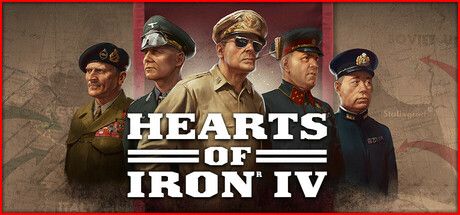
Hearts of Iron IV is Paradox Development Studio's grand strategy game. Starting in 1936 or 1939, you take charge of any country in the world: you build up industry, research technology, conduct diplomacy and command your army by drawing front lines on the map. History is only the starting point, and your decisions can send the era in a very different direction.
The game is famous for its depth. On first launch you see a row of numbers at the top of the screen and a row of menu buttons on the left, and it is hard to know where to look first. This guide is for exactly that moment: it walks a first-time player, or someone whose economy keeps stalling after a few attempts, through the early years step by step.
Menu names are given as they appear in the game. The information is based on the Beginner's guide and Hotkeys pages of the official Hearts of Iron 4 Wiki (Paradox Wikis).
Goal of the game
Hearts of Iron IV has no fixed "final mission"; you set the goal. Most players aim to prepare their chosen nation for the era's great conflict, join a faction or form their own, and force the other side to capitulate. The game runs in real time, day by day, and you can pause at any moment to think.
The core loop works like this: civilian factories handle construction and are used in trade; military factories produce equipment, vehicles and aircraft; naval dockyards build ships and convoys. Equipment flows to divisions, divisions are grouped into armies, and armies are given battle plans. Meanwhile you spend Political Power on national focuses, laws and advisors, and use research to unlock new equipment and industrial efficiency. A player who builds a good economy has an easier time at the front.
Controls
| Key | Action |
|---|---|
| Space or Pause | Pause / unpause |
| Q · W · E · R · T · Y · U · I | Government, Research, International Market, Trade, Construction, Production, Recruit & Deploy, Logistics |
| Shift + Q | Decisions |
| Shift + E | Officer Corps: doctrines and commanders |
| F1 · F2 · F3 · F4 | Map modes: default land, naval, air, supply |
| F8 · F9 | Resource and infrastructure map modes |
| F | Search for countries, states or cities |
| Backspace | Jump to your capital |
| Left click / left click and drag | Select a unit / box-select several units |
| Right click (with Shift for waypoints) | Move selected units; hold Shift to add waypoints |
| Ctrl + number, then number | Assign a hotkey to an army or divisions, press the number to reselect |
| O | Division Overview |
| Z · X · C | With an army selected: Front Line, Offensive Line, Fallback Line |
| K | With an army selected: Exercise |
| H · B | With divisions selected: Hold / Strategic Redeployment |
First steps
- Play the tutorial firstThe Single Player menu includes a Tutorial, and the official wiki strongly recommends it. Once it ends you can keep playing the same game as a normal campaign, so the time is not wasted.
- Pick the 1936 start and a country you knowThe 1936 start is the scenario where alliances have not settled yet and you can build your economy at your own pace. Major powers (Germany, the Soviet Union, the United Kingdom, the United States, France, Italy, Japan) give you a lot to manage; minor nations are simpler. The wiki's advice is straightforward: pick the country you know best or think will be most fun.
- Pause and choose your first national focusPress Space to pause as soon as the game starts. Clicking the flag in the top left opens your country screen, and the game reminds you if no National Focus is selected. According to the wiki most focuses take 70 days. Branches that grant factories or research slots usually speed up your economy.
- Fill every research slotPress W to open Research. Most countries start with 2 or 3 research slots, and some focuses add more. Never leave a slot empty: industry technologies for production and construction plus infantry equipment are a solid early choice. Researching far ahead of a technology's historical year carries a time penalty.
- Put civilian factories to workPress T to open Construction. According to the wiki a single project can use at most 15 factories, and the rest move on to the next item in the queue. In peacetime, building civilian factories first and military factories later pays off with a much larger industrial base. Construction is faster in states with higher infrastructure.
- Check your production linesPress Y to open Production. You start with a few lines already running. The wiki's first tip is that infantry equipment is the most important of them, so put most of your effort there until new military factories arrive. Adding factories to an existing line costs some of its efficiency.
- Recruit divisions and run exercisesUse Recruit & Deploy (U) to queue new divisions from existing templates; training several infantry divisions at once keeps your army from falling behind. In peacetime, select an army and press K to exercise, which earns Army Experience. Exercises also increase equipment attrition, so be careful with a small industry.
- Assign a commander and draw a frontSelect units and use the button at the bottom of the screen to form an army, then assign a general. With the army selected press Z and draw a front line along a border; the divisions spread out automatically. To advance, press X and draw an offensive line toward the objective. As planning progresses the arrow turns green; click it to execute the plan.
- Look at the supply mapPress F4 for the supply map mode. According to the official wiki, bright blue means plenty of supply, dark blue little supply, yellow insufficient but partial supply, and bright red significant supply penalties. Stacking troops in red provinces wears them down fast.
Tips and tactics
- Do not waste Political PowerAccording to the wiki every country gains a base of 2 Political Power per day. That pool is shared between focuses, laws, advisors and decisions. Early on, prioritise advisors and laws that speed up the economy rather than cosmetic decisions.
- Change the economy law earlyThe Economy Law sets how many factories go to Consumer Goods. The wiki specifically recommends that democracies change it as soon as they can, freeing civilian factories for construction.
- Keep stability above 50 percentAccording to the wiki, 50 percent Stability is neutral; above it you gain factory output and political power, below it you take penalties. Weigh any law or decision that lowers stability against its economic cost.
- Know the hidden cost of tradeYou buy missing resources (oil, aluminium, rubber, tungsten, steel, chromium) in the Trade screen (R). According to the wiki every 8 units imported costs you one civilian factory, and that power goes to the exporting nation. Raising domestic output through the excavation technologies in the industry tree is often better than importing.
- Spend Army Experience on templatesArmy Experience is spent in the Division Designer. Adding a support company such as engineers or recon to an existing template strengthens units cheaply, as long as you have the equipment. If you do not, large templates stay understrength, so plan production and templates together.
- Doctrines now live in the Officer CorpsSince version 1.11 doctrines are no longer in the research tree; you unlock them with experience in the Officer Corps screen (Shift + E). The wiki notes that switching doctrines later is possible but costs a lot of experience, so choose carefully.
- Rest troops after an objectiveGive an army that reached its objective a few days without orders. As the wiki notes, a short pause lets organization, reinforcement and supply recover.
- Use natural barriers on defenceA defensive plan along a river or mountain range plus Land Forts buys time. According to the wiki each fort level gives the attacker a 15 percent penalty, although attacks from several directions reduce the effect.
- Low manpower? Check the lawIf Manpower is running out, review your Conscription Law first, then consider field hospital companies or disbanding units you do not need. Disbanding encircled units destroys their manpower and equipment for good.
- Put dockyards on convoysIf a big navy is not part of your plan, the wiki suggests using dockyards for convoys. Convoys carry overseas trade and supply, and you rarely have too many.
Common mistakes
- Browsing menus without pausing: empty research slots and idle focus days never come back.
- Building only military factories in peacetime: a small civilian base slows every later construction project.
- Rushing technology far ahead of its historical year: the ahead-of-time penalty keeps the slot busy for much longer.
- Importing every resource: each trade takes a civilian factory and your construction power quietly shrinks.
- Stacking a large army in one area without checking the supply map: poor supply quickly cripples combat strength.
- Enlarging division templates without matching production: they look strong on paper but reach the front short of equipment.
Frequently asked questions
Does Hearts of Iron IV support Turkish?
Can I play as Turkey?
Is it single-player, and is there multiplayer?
How do I earn achievements?
Why won't my old save load after an update?
This guide was written for version: This guide reflects the official Hearts of Iron 4 Wiki Beginner's guide and Hotkeys pages as of September 2026. Hotkeys and some numbers can change with updates; in-game tooltips always show the current values.





Yudum World
A village at the foot of Mount Kaf.
Create your character, stroll the square and meet people face to face. In your browser, free.
- 🧑 Create your character
- 🎲 Play a round at the coffeehouse
- 🏠 Build a home with your group
 Yudum WorldA village at the foot of Mount Kaf is waiting for you.Join free →