How to play guide
PUBG: Battlegrounds Beginner's Guide: Where to Land, What to Loot and Staying in the Zone
For new PUBG players: where to land, what to grab in the first minute, how to survive a shrinking safe zone, the default PC keys, and the common mistakes that end early matches.
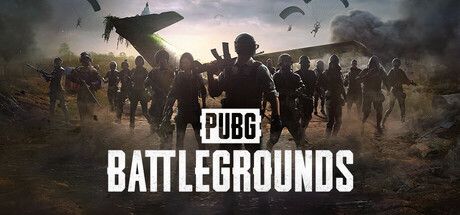
PUBG: Battlegrounds is one of the games that brought battle royale to a mass audience: a large group of players parachutes onto an island, survives with whatever gear they find, and the last player or team standing takes the match. The game has been free to play on Steam since 2022.
This guide is for players who just downloaded PUBG, or who keep getting eliminated right after landing or caught in the blue zone mid-map. It is about decisions more than reflexes: where to land, what to take and when to move.
Below you will find the core loop, default PC keys, first steps, concrete tactics, common beginner mistakes and the questions people ask most.
Goal of the game
Every match has three phases, just as the Steam page puts it: land, loot, survive. You jump anywhere along the plane's route and parachute down. You touch the ground with nothing; you search buildings for guns, ammo, armor, helmets, backpacks, meds and attachments (scopes, magazines, muzzle parts). Attachments noticeably improve accuracy and handling.
Over time the play area shrinks. The white circle on the map shows the next safe zone; the area outside is closed by a blue wall, and anyone caught inside it keeps losing health. This pushes players together. When you die you are out; in solo you aim to be the last one alive, in duos and squads the last team. In team modes you can revive a downed teammate.
Controls
| Key | Action |
|---|---|
| W A S D | Move |
| Left Shift | Sprint (hold breath while scoped in first person) |
| C / Z | Crouch / prone |
| Space | Jump; vault over obstacles |
| Q / E | Lean left / right |
| Right click | Hold: over-the-shoulder aim; tap: aim down sights |
| Left click / R | Fire / reload |
| B | Switch fire mode (single, burst, auto) |
| 1 / 2 / 3 / 4 / 5 | Primary / secondary / pistol / melee / throwable |
| 7 / 8 / 9 / 0 | Med kit / first aid kit / bandage / energy drink |
| F | Pick up, open/close doors, enter/exit vehicles |
| Tab | Inventory |
| M | Map (right click to place a marker) |
| Alt (hold) | Free look without changing direction |
| V | First/third person camera (in TPP-enabled matches) |
First steps
- Learn the keys in training firstBefore your first match, try guns, attach and remove attachments and drive a vehicle in the training mode. The keys feel like a lot at first; learning lean, prone and healing shortcuts here reduces panic in a real match.
- Land away from the flight path early onBig towns right under the plane's route get crowded, and new players are often eliminated there in the first minute. Land at small settlements or isolated buildings a bit away from the route. You find less loot but get time to learn.
- Glide further with your parachuteDiving straight down lands you fast; flying level carries you further. If your target is far, glide first and dive when close. Use Alt in the air to check whether anyone is landing near you.
- First-minute prioritiesFirst any gun and matching ammo, then armor and a helmet, then a backpack and meds. Worry about quality later; wandering from building to building empty-handed looking for the best gun is dangerous.
- Open the map oftenPress M and check the white circle. Move early once the safe zone is shown; running after the blue wall is close leaves you in open ground in front of players waiting at the zone edge.
- Use vehicles wiselyA vehicle can save you when the zone is far. But engines are heard from afar and make you a target. As you near the zone, leave the vehicle behind cover and continue on foot.
- Be patient in the final circlesAs the zone gets small, every move is seen. Find high ground or solid cover and avoid needless shooting. Gunfire gives away your position; being last one standing often comes from patience while others fight.
- Communicate in team modesIn duos or squads, agree on a landing spot with a map marker. When you see an enemy, calling the direction with the compass bearing at the top of the screen lets teammates turn instantly.
Tips and tactics
- Peek by leaning or going proneLeaning with Q and E exposes only a small part of your body at a wall edge. In an open-field fight, crouching with C or going prone with Z makes you harder to hit.
- Make free look a habitHolding Alt while running lets you spot players behind or beside you without changing direction. Check every few seconds on long runs.
- Close doors behind youLeaving a door open tells players outside that someone is inside. Close it with F in an important building; conversely, approach buildings with open doors carefully.
- Pick fire mode by distanceFull auto works up close; switch to single fire (B) at range. Auto fire at distance wastes ammo and reveals your position.
- Account for bullet dropIn PUBG, bullets drop over distance and take time to arrive. When aiming at a running player far away, aim slightly ahead and slightly above.
- Use healing shortcutsOpening the inventory to find bandages costs precious seconds. Use the 7-0 shortcuts to heal directly. Boosts like energy drinks restore health over time and help you move faster; use them before the final circles.
- Leave red zones immediatelyIf a red area appears on the map, random explosions hit it for a while. If you are in the open, get out of the area or into a solid building.
- Approach care packages carefullyCare Packages dropped from the plane contain strong gear, but their smoke shows everyone where they landed. Players may be waiting in ambush; if it is in open ground, scout first or skip it.
- Attach attachments right awayCarrying attachments in your bag does nothing. Right-clicking an attachment in the inventory quickly fits it to a suitable gun. Scopes and magazines especially make a difference from the first minute.
- Locate enemies by soundFootsteps, vehicles and gunshots carry direction in PUBG. Good headphones and audio settings that keep effects clear let you know where an enemy is before you see them.
Common mistakes
- Landing in crowded towns: new players are often eliminated there before even finding a gun, leaving no time to learn.
- Reaching the safe zone late: running through open ground ahead of the blue wall makes you an easy target for players waiting at the edge.
- Shooting at every player you see: inaccurate long-range fire wastes ammo and announces your position.
- Staring at the inventory while looting: buried in menus, you miss the player approaching from behind.
- Driving into the middle of the safe zone: engine noise carries far and makes you the first target in the final circles.
Frequently asked questions
Is PUBG: Battlegrounds free?
Does it support Turkish?
Can I play alone?
Should I play first person (FPP) or third person (TPP)?
What other modes are there?
This guide was written for version: This guide reflects the live version as of September 2026. Keys are the PC defaults and can be changed in settings; the map pool and modes change often with updates.


Yudum World
A village at the foot of Mount Kaf.
Create your character, stroll the square and meet people face to face. In your browser, free.
- 🧑 Create your character
- 🎲 Play a round at the coffeehouse
- 🏠 Build a home with your group
 Yudum WorldA village at the foot of Mount Kaf is waiting for you.Join free →