How to play guide
Civilization VI Beginner's Guide: First Cities, Districts and Choosing a Victory
A starter guide to Civilization VI: victory types, founding cities and using Builders in the first 50 turns, the district system, Eurekas and Inspirations, default hotkeys and common mistakes.
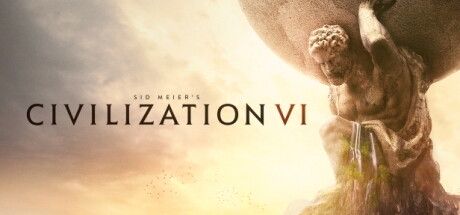
Sid Meier's Civilization VI is a turn-based strategy game released by Firaxis Games in 2016. You start in the Stone Age with a single band of settlers and, over thousands of years, found cities and develop technology to carry your civilisation into the information age. It belongs to a series famous for its "one more turn" pull.
Civ VI's first screen is crowded: science, culture, gold and faith meters, two separate research trees, city production queues, districts, leaders, city-states... Rather than learning everything at once, this guide focuses on the decisions that matter in a first game: where to found cities, how to use Builders, how to plan districts and when to commit to a victory.
Note: the game does not officially support Turkish.
Goal of the game
According to the extensive, community-run Civilization wiki, there are six victory types: Science (completing space projects), Culture (outpacing other civilisations through tourism), Domination (capturing every rival's original capital), Religion (making your religion predominant in every civilisation), Diplomacy, added in the Gathering Storm expansion, and Score, awarded to the highest score when time runs out. You can follow how close rivals are to each victory in the World Rankings panel at the top right.
Each turn you give orders to units, tell cities what to produce, and choose one technology (Tech Tree) and one civic (Civics Tree) to research. Cities draw food, production, gold, science, culture and faith from surrounding tiles. What sets Civ VI apart is districts: libraries and universities are not built in the city centre but in a Campus district on its own tile. Deciding what goes where around a city is a puzzle in itself.
Controls
| Key | Action |
|---|---|
| Enter | Next action / end turn |
| . or Z / , | Next / previous ready unit |
| M / A / R | Move / melee attack / ranged attack |
| F / Space | Fortify / skip this unit's turn |
| B | Found a city with a Settler |
| E | Auto-explore (for units such as the Scout) |
| T / C | Tech tree / Civics tree |
| F7 / F10 | Government / Governors |
| F9 | Civilopedia |
| \ / [ / ] | Capital / previous city / next city |
| 4 | Settler lens: shows good and bad spots for new cities |
| Y / Q / G | Yield icons / resource icons / grid |
| F5 / F6 | Quick save / quick load |
| Ctrl + F | Search the map |
First steps
- Found your first city right awayThe starting spot is usually good. If an obvious advantage such as a river or coast is one tile away, move there; otherwise press B on the first turn. Wandering for a few turns puts you behind for the whole game.
- Explore with a ScoutMake a Scout one of your first builds and send it on auto-explore with E. Exploring finds Tribal Villages, city-states and neighbours early, and many Eurekas trigger through exploration.
- Spend Builders wiselyAccording to the Civilization wiki, a Builder has 3 build charges; each improvement uses one and the unit disappears when they run out. Actions complete instantly. Spend them first on tiles your cities are working and on resources.
- Time your SettlersThe wiki notes that a Settler can only be trained in a city with at least 2 population and reduces that city's population by 1 when completed. Let the city grow a little, then build one; reaching 3-5 cities in the first 50-60 turns is a solid start.
- Turn on the Settler lensWith a Settler selected, key 4 shows good city spots in green and poor ones in red. Tiles near fresh water (rivers, lakes) let a city grow larger.
- Follow Eurekas and InspirationsEach technology has a Eureka and each civic an Inspiration task, such as building a Quarry to speed up Masonry. According to the wiki, these boosts instantly grant a large share of the cost (50% in the base game, 40% from Rise and Fall onward). Hover over the task in the tree to see what it asks.
- Choose your first districtAs population grows, a city can build more districts. Campus for science (stronger next to mountains), Theater Square for culture, Industrial Zone for production, Commercial Hub for gold. Check the adjacency bonuses shown when placing a district.
- Set up your first governmentFinish the Code of Laws civic to adopt Chiefdom and slot policy cards. Change cards as needed: favour Settler production while expanding and unit production when threatened.
- Do not neglect defenceBarbarians come from outposts in unclaimed land. According to the wiki, if an outpost's scout spots your city and makes it back home, the outpost sends a wave of raiders over the following turns. Try to stop barbarian scouts as soon as you see them, and keep at least one military unit in each city and clear nearby outposts early.
Tips and tactics
- Settle on a victory goal by around turn 100Investing in everything at once means reaching no victory in time. Once you have seen the map, your leader's abilities and your neighbours, pick a main path and align districts, wonders and Great People with it.
- Plan adjacency bonusesAccording to the wiki, Campuses benefit from mountains, Holy Sites from natural wonders, mountains and woods, and Commercial Hubs from rivers. Districts placed next to each other also help. The green yield icons shown during placement are enough to make a good call.
- Watch AmenitiesThe wiki explains that city contentment is measured in Amenities and the requirement rises with population. When short, a city's yields drop, and if things get bad enough rebels appear. Improving luxury resources and building Entertainment Complexes fixes this.
- Open trade routes earlyThe Trader unlocks with Foreign Trade. Using your first Trader between your own cities also builds roads along the way and helps new cities grow faster.
- Work with city-statesSending Envoys to city-states grants type-based bonuses; having the most Envoys in one makes you its Suzerain and gives you its unique bonus. Hover over a city-state to read what it offers.
- Do not miss Great PeopleKey O opens the Great People screen. They are earned with points from district buildings and can feed directly into a victory. A Great Person a rival claims first is gone for good.
- Use the lensesKeys 1-0 open lenses such as religion, continent, Appeal, government and Loyalty. The Appeal lens, for example, shows the right spots for National Parks and Seaside Resorts.
- Assign Governors earlyGovernors, opened with F10, take a few turns to establish after being placed. Assigning one to a new city or a border city with loyalty problems protects and speeds it up.
- Fortify on defenceFortifying a defending unit with F grants a defence bonus. Hills, woods and river crossings also favour the defender; check the terrain before committing to an attack.
- Use the CivilopediaThe Civilopedia (F9) explains every unit, building and concept. When you meet an unfamiliar term, look it up there without leaving the game.
Common mistakes
- Wandering for several turns before founding the first city: an early delay compounds for the rest of the game.
- Staying at one city or expanding too late: since district slots depend on population, several mid-sized cities almost always beat one big one.
- Leaving Builders idle: a Builder whose charges are not spent is production invested for nothing.
- Placing districts at random: a Campus or Holy Site built without regard to adjacency can yield half as much as a well-placed one.
- Ignoring Amenities: unhappy cities grow slowly and lose yields, and at worst spawn rebels.
- Keeping no military at all: barbarians or an opportunistic neighbour can easily take an undefended city.
Frequently asked questions
Can I play Civilization VI alone?
How long does a game take?
Do I need the expansions?
Which difficulty should I start on?
Does it support Turkish?
Which systems does it run on?
This guide was written for version: This guide reflects the current Steam version as of September 2026. Hotkeys are the defaults; some values, such as boost percentages and Amenity rules, differ by expansion.




Yudum World
A village at the foot of Mount Kaf.
Create your character, stroll the square and meet people face to face. In your browser, free.
- 🧑 Create your character
- 🎲 Play a round at the coffeehouse
- 🏠 Build a home with your group
 Yudum WorldA village at the foot of Mount Kaf is waiting for you.Join free →